The Professional Guide to Sharing Links, Not Raw MP4s
Sharing large video files used to be a frustrating process. Email limits, slow downloads, and compatibility issues made it harder than it needed to be. Today, the professional standard is simple: send a link.
Converting a video to a link means uploading your original file, whether it’s MP4, MOV, or AVI, to a reliable hosting or transfer platform. That platform generates a raw URL that lets others view or download the video without handling the file directly. The professional step comes next. By managing that URL with a dedicated link tool, you turn a generic link into a branded, trackable asset that provides real insight into how your video is shared and viewed.
Why Is Converting Video to a URL a Professional Requirement, Not Just a Convenience?
The File Delivery Problem
Raw video files create friction. Most email platforms block large attachments, and even when files do go through, many recipients never finish downloading them. Others run into playbook issues because their device or software cannot open the file. Turning a heavy MP4 into a link solves these problems immediately. A link opens in a browser, works across devices, and removes technical barriers for the viewer.
Control and Analytics
Sending a file gives you no control once it leaves your inbox. A link changes that. When you convert a video to URL, you can set access rules, define expiration dates, and monitor engagement. Knowing whether someone clicked your video from its link, when they clicked, and where they were located adds clarity that files simply cannot provide.
The Professional Impression
A clean, branded link communicates organization and credibility. Clients and partners are more likely to trust and click on a well-structured video link than a long, confusing URL or a bulky attachment. This small detail plays a big role in how your work is perceived.
How to Convert Your Video into a Link: 3 Best Use-Case Methods
Public and Permanent Hosting
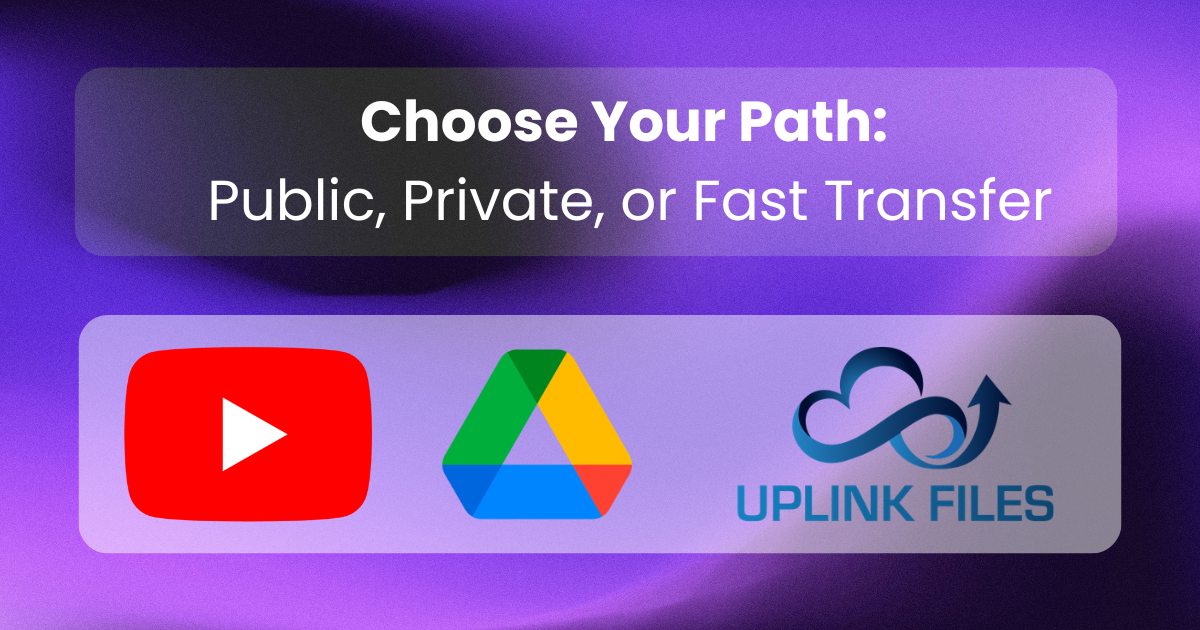
YouTube and Vimeo:
YouTube and Vimeo are popular options for turning a video into a link form when the content is meant for public viewing.
Pros:
These platforms are ideal for embedding videos on websites, sharing publicly, SEO visibility, and supporting long-term access.
Cons:
They require account management and can feel slow for one-time client deliveries or private reviews.
Actionable Step:
Upload your video, then use the platform’s Share option to copy the URL. This is one of the easiest ways to create a basic video link.
Private and Collaborative Sharing
Google Drive and Dropbox:
These cloud storage tools are commonly used when collaboration or feedback is the goal.
Pros:
They support secure access, version control, and internal sharing.
Cons:
Always confirm that permissions are set to “Anyone with the link can view.” Incorrect settings are a frequent reason links fail.
The Bridge:
While effective, these links are often long, cluttered, and unbranded. On their own, they provide little insight into how your video link is performing.
Direct File Transfer
UpLink Files and WeTransfer:
For very large files or time-sensitive delivery, direct transfer platforms are often the best choice.
UpLink Files stands out for high-speed delivery. Users can add passwords or set custom expiration dates, which gives greater control over access. WeTransfer is another widely recognized option that also supports password protection on certain plans.
Both platforms make it easy to convert a large file from a video into a link quickly and securely.
Transforming Links: ShortifyMe for Professional Branding and Analytics
The Problem with Raw Cloud and Hosted Links
Cloud storage links from Google Drive or Dropbox are functional but messy. They include long strings of characters and offer no brand context. Hosted links from YouTube, Vimeo, UpLink Files or WeTransfer are often shorter, but they still lack branding and meaningful tracking. A raw video link tells you very little about who clicked or why.
The ShortifyMe Solution: Branded Custom Domains
A strong video to link strategy starts by running your raw URL through ShortifyMe. This process turns a generic link into a clean, branded short link using your own domain. Instead of sharing a confusing string of text, you can send a clear URL that reflects your brand and purpose.
Branded links build trust, and people are more likely to click a video link that clearly shows who it comes from and what it represents. Use the Custom Domain URL Shortener feature to turn any long, unbranded link (like drive.google.com/file/d/2UnIkcD6qrGrPOvt9a-Q77w63jIFEPf28/view?usp=sharing OR a generic YouTube share link) into a professional, custom, branded short link (yourbrand.com/project-video).
The Intelligence Layer: Tracking What Matters
Sharing a video is only part of the story. Understanding engagement is where real value appears. ShortifyMe provides essential analytics such as total clicks, location data, and device type. These insights turn every video link into a measurable effort rather than a blind send.
High-Quality Sharing: 3 Essential Steps for Publishing Your Final Video Link

Always Use a Vanity Domain:
Branding the link itself reinforces authority and professionalism.
Audit Sharing Permissions:
Before sending any video link, confirm that viewers can watch the video but cannot edit or delete it.
Optimize the Preview Experience:
If your link will appear on social platforms, ensure the host includes a clear title and thumbnail. The preview is often the first thing people see.
Video to Link Conversion FAQs
Q: How do I share a video that is too large for email?
A: Upload the video file to a cloud service (like Google Drive) or a high-speed transfer platform (like UpLink Files) and share the generated video link.
Q: What is the fastest way to convert an MP4 into a shareable link?
A: Use a dedicated File Transfer service, such as UpLink Files or WeTransfer. This immediately generates a temporary, secure URL, initiating the video to link process quickly.
Q: How long does a file transfer link (e.g., from WeTransfer or UpLink Files) typically last?
A: Link expiration varies by platform and is often dependent on your subscription (Free vs. Paid plan). For example, on the free plan for WeTransfer, the link expires in 3 days, and on the free plan for UpLink Files, the link expires in 5 days, though UpLink Files also allows you to explicitly set a custom expiry date for greater control.
Q: Is it safe to share a video using a generated link?
A: Yes. When you use a reputable host, you can maximize safety by leveraging security features such as setting passwords and custom expiration dates (available on platforms like UpLink Files and WeTransfer).
Q: Can I stop someone from downloading the original video file once I’ve shared the link?
A: This depends on the host. Video streaming platforms typically prevent direct download, while cloud services (like Dropbox) allow you to restrict or disable download permissions.
Q: What is a custom domain URL shortener, and how does it help video sharing?
A: It replaces generic domains with your own brand name (yourbrand.com.com). This drastically increases audience trust and improves click-through rates (CTR).
Q: Can I add tracking to a YouTube/Google Drive video link?
A: Yes. By running the generic URL through a link management tool like ShortifyMe, you turn a simple url into a trackable business asset.
Q: What kind of data or analytics can I track from my shared video link?
A: You can track essential metrics like total clicks, click location (geo-targeting), and the device type of the viewer using link management tools like ShortifyMe.
Q: Why should I use a branded short link instead of the short link provided by YouTube?
A: YouTube’s link doesn’t provide tracking analytics, nor can you customize it with your own brand domain for a professional look.
Q: Can I use a QR code to share my professional video link?
A: Yes, link management tools like ShortifyMe allows you to generate a QR code for your branded short link, making it easy to share offline.
Conclusion: Making the Video to Link Transition Permanent
The shift from sending files to sharing links is no longer optional. Professionals who treat every video link as a branded, measurable asset gain clarity, trust, and insight with every share. Clean links reflect organized workflows and make collaboration easier for everyone involved.