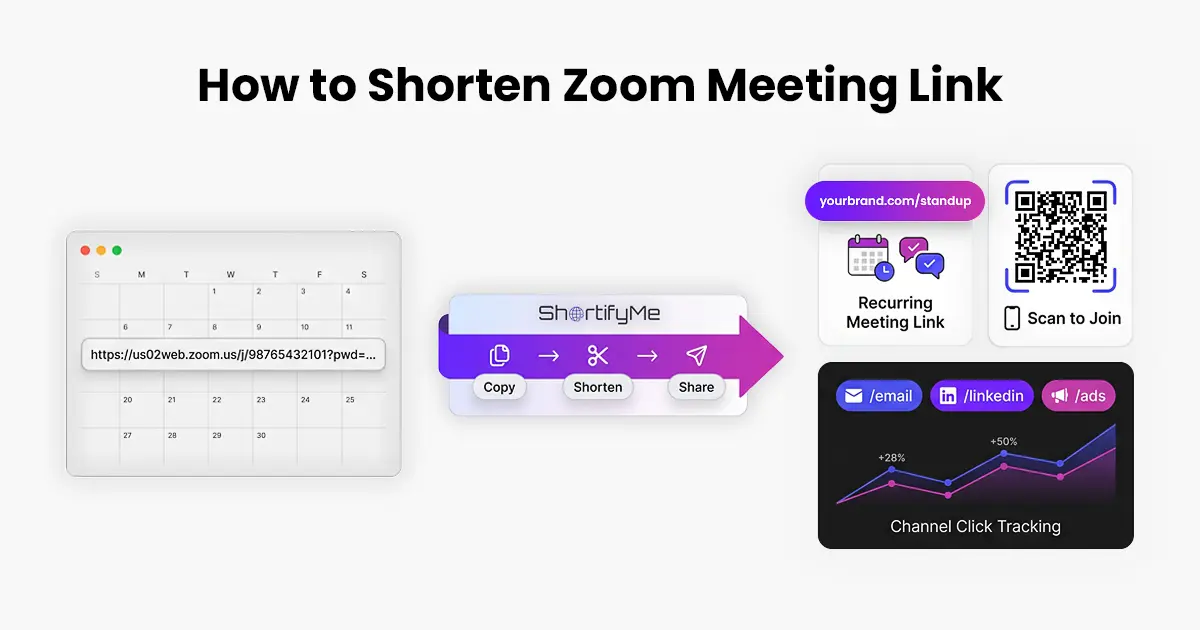
Zoom meeting URLs are famously long. Between the meeting ID, the encoded passcode, and various tracking parameters, a typical link runs 80 to 100 characters. In a calendar invite, it wraps across three lines. In an email newsletter, it dominates the visible content. In an ad or social post, it looks like a raw dump. Shortening a Zoom link fixes all of that in ten seconds.
When to Shorten a Zoom Link
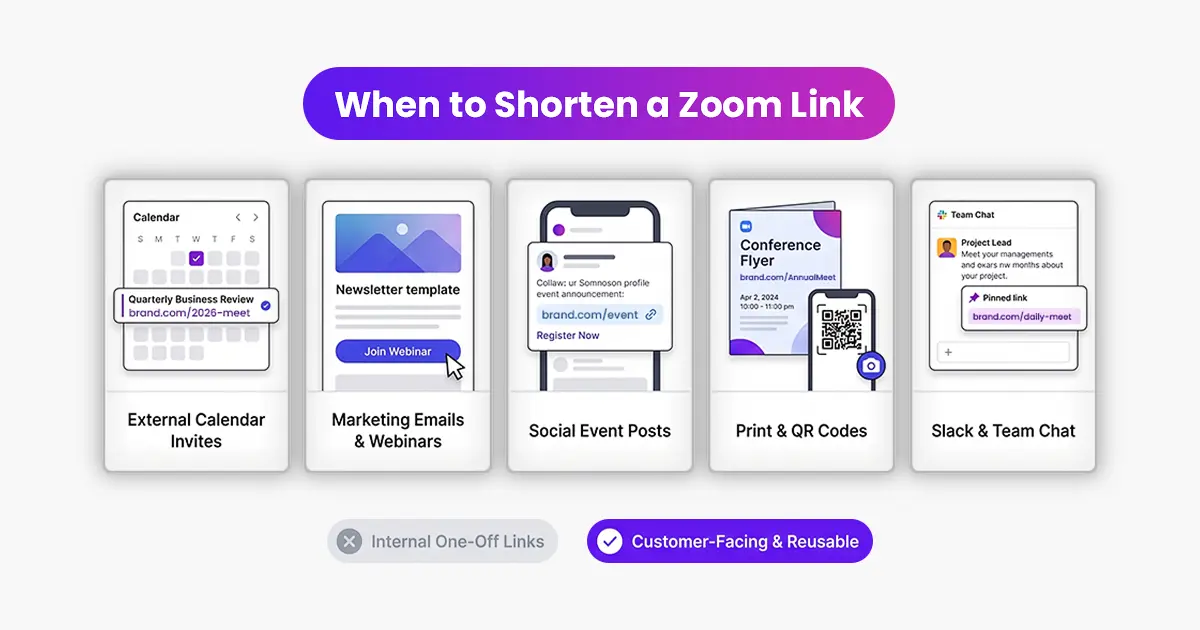
Shorten a Zoom link whenever the link will be shared in a place where a long URL would look bad or take up too much space. That covers most cases:
- Calendar invites for external attendees who want to see the meeting details at a glance
- Marketing emails and landing pages promoting a webinar
- Social posts inviting people to join an event
- Printed materials or QR codes for hybrid events
- Slack channels and team messages for a recurring meeting
You do not need to shorten every Zoom link, especially internal one-off meetings where nobody cares what the URL looks like. But anything customer-facing or reusable benefits.
Step by Step
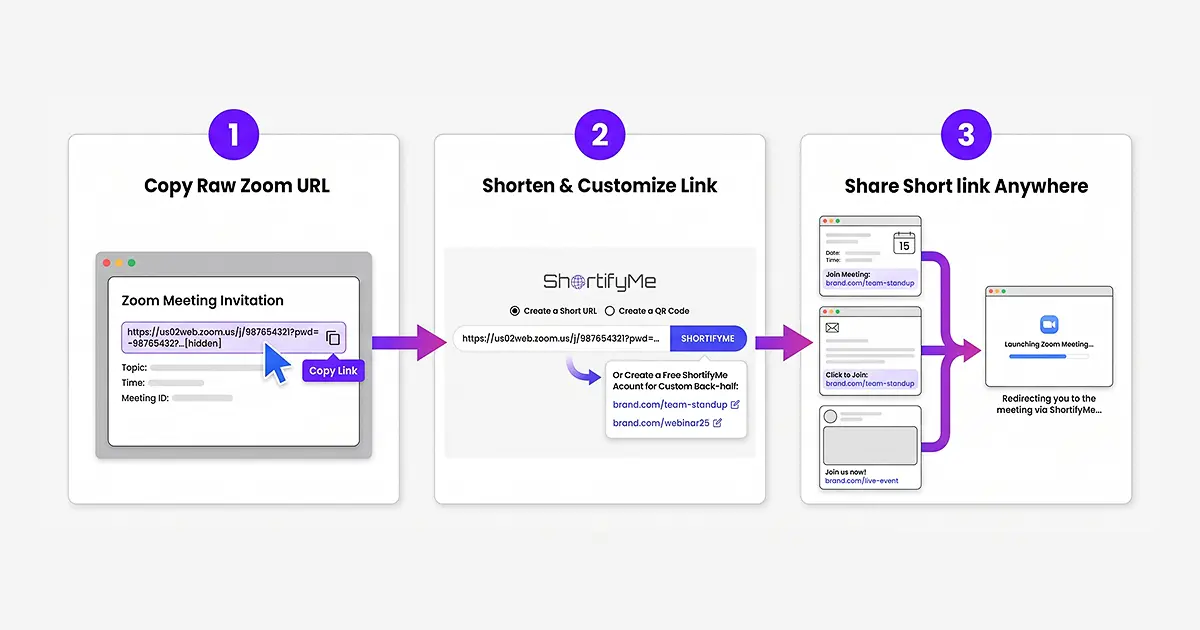
Step 1. Get Your Zoom Meeting Link
Open your Zoom meeting or schedule a new one. Copy the meeting URL from the invitation. It typically starts with something like https://us02web.zoom.us/j/ followed by the meeting ID and passcode parameters.
Step 2. Shorten the URL
- Go to shortifyme.com. Paste the Zoom URL into the shortener tool on the homepage. Click ShortifyMe.
- Your short link is ready in a couple of seconds. Copy it to your clipboard.
- If you want a custom back-half so the link is memorable (like brand.com/team-standup or brand.com/webinar25), sign in to a free ShortifyMe account first, then create the link. Custom back-halves are free on every plan.
Step 3. Use the Short Link Wherever You Share the Meeting
Replace the long Zoom URL in your calendar invite, email, social post, or promotional page with the short link. The short link redirects to the Zoom meeting exactly the same way. Attendees click it and Zoom opens with the meeting details already filled in.
For Recurring Meetings, Use One Memorable Short Link
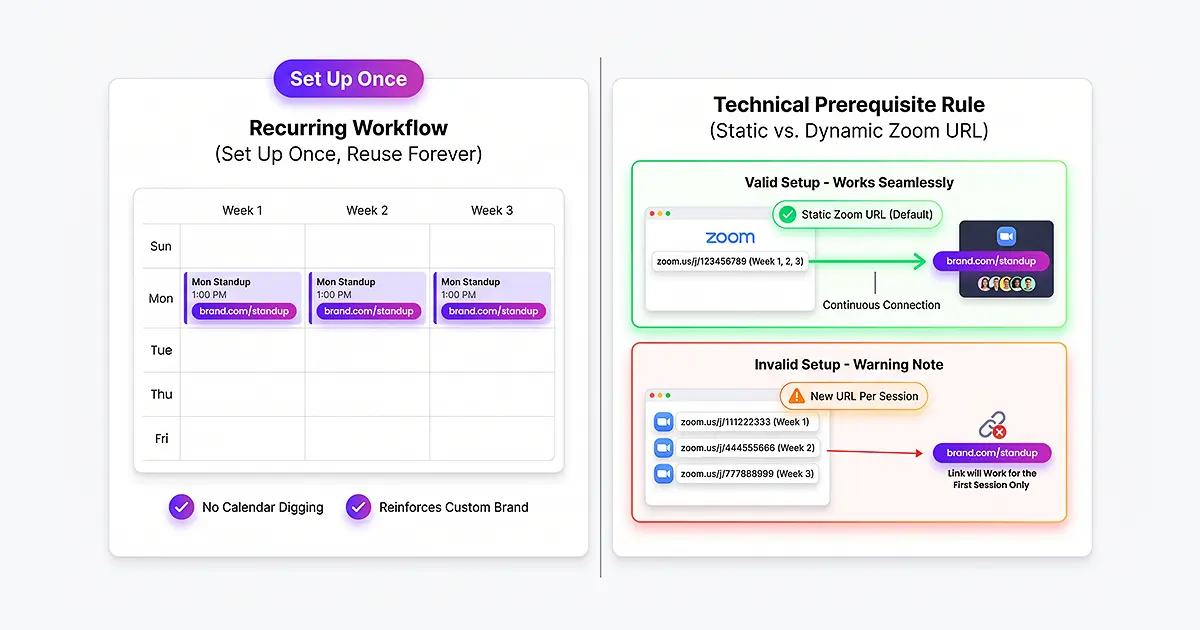
A weekly team standup or a monthly all-hands meeting deserves a memorable short link like brand.com/standup. Set it up once, then use the same link every week. Everyone remembers it, nobody has to dig through calendar invites to find the URL, and if you use a custom domain, the link reinforces your brand every time.
This only works if the Zoom meeting URL stays the same across sessions, which is the default for recurring meetings in Zoom. If you generate a new URL for each session, the short link will only work for the first one.
For Webinars, Track Clicks Per Promotion Channel
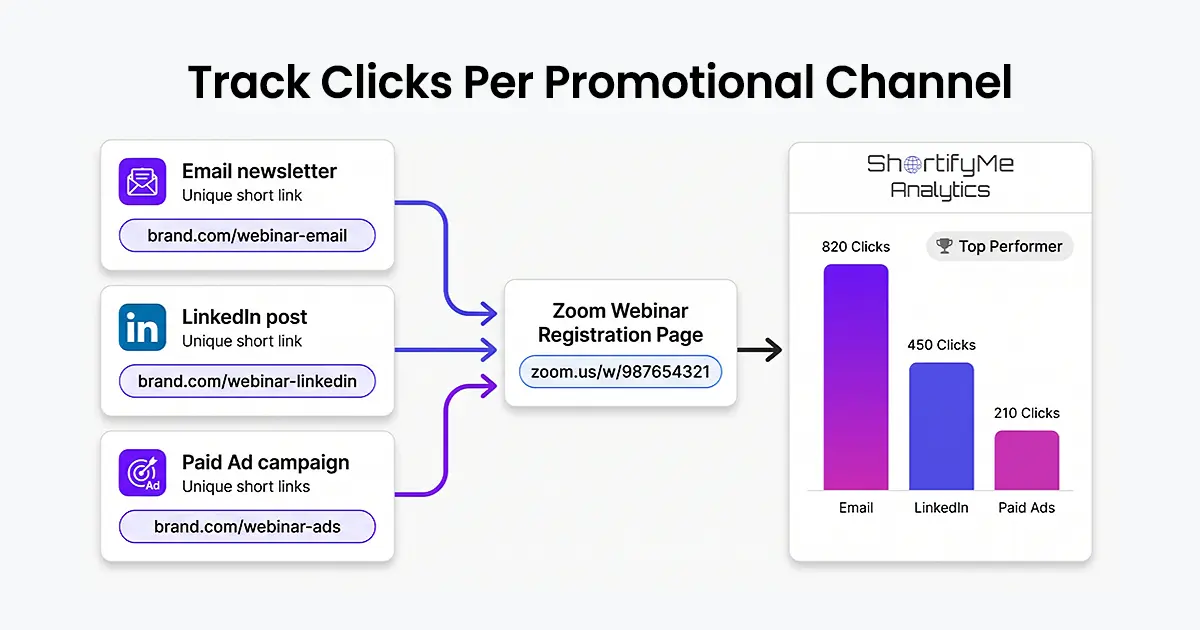
Promoting a webinar across email, LinkedIn, and paid ads with the same URL means you have no idea which channel actually drove registrations. Solve this by creating a different short link for each channel, all pointing to the same Zoom webinar registration URL.
With a free ShortifyMe account, each short link tracks clicks independently. After the webinar, your dashboard shows exactly which channel converted best. Do more of what works next time.
FAQs
Q: Will the shortened link still work with Zoom’s passcode?
A: Yes. Zoom meeting URLs include the passcode as a URL parameter. The short link preserves the full URL, so the passcode is included when the recipient clicks.
Q: Can I generate a QR code for a Zoom meeting?
A: Yes. On shortifyme.com, use the QR Code tab on the shortener tool. Paste the Zoom URL, generate, and download the QR code. Useful for hybrid events, printed materials, or on-screen presentations where attendees can join by scanning.
Q: What if I need to change the Zoom link after I have already shared the short link?
A: On a free ShortifyMe account, the short link points to a fixed URL. If the Zoom URL changes, the short link no longer works. On a paid ShortifyMe plan, you can edit the destination of any short link, which lets you repoint it to a new Zoom URL without changing the short link itself.